

Affiliate Disclosure: This website contains affiliate links to products and services. If you click on these links and make a purchase, I may earn a commission, at no additional cost to you.
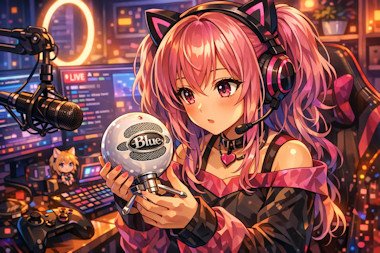
Headphones – HyperX Cloud III Gaming Headset, a popular mid-range option valued for its signature comfort and durable aluminum frame, making it a reliable daily driver for emerging streamers.
Monitors – Dual Monitors allow you to keep your tracking software and OBS Studio on one screen while gaming or interacting on the other.
The PC– The recommended specs include at least an Intel i7 or a Ryzen 7processor and 16GB to 32GB of RAM.
Estimated number of VTubers in 2026
- Japan alone saw 1,200 new VTuber debuts in 2022, and the growth rate of the category on Twitch was 35% in 2023.
- The global VTuber market reached $7.26B in 2026 with rapid creator expansion driven by agencies and independents alike.
Industry analysts commonly estimate that the global VTuber population in 2026 is in the 20,000–30,000 active creators range. This aligns with agency rosters, indie growth rates, and platform category expansion.
Projected number of VTubers in 2030
To project creator counts, we can use the documented market CAGR:
- The VTuber market is projected to grow at 35.03% CAGR from 2026–2035.
If creator population scales roughly with market growth (a common assumption in influencer‑economy modeling), then:
- Starting from an estimated 20k–30k creators in 2026
- Applying ~35% annual growth for four years (2026 → 2030)
The projected number of VTubers in 2030 would fall roughly in the 70,000–110,000 creators range.
This projection assumes:
- Continued global adoption (especially in North America and Europe, which are already rising)
- Increasing use of AI‑assisted avatars and lower production barriers
- Ongoing expansion of agencies like Hololive and Nijisanji, plus a surge in independent creators
What this means for the industry
- The creator landscape will become far more saturated by 2030.
- Agencies will likely represent a smaller share of total creators as indie tools improve.
- Niches (education, cooking, tech, wellness, commentary) will expand beyond gaming.
- AI‑driven VTubers will likely form a significant portion of the 2030 population.
Microphones – Popular choices include the Blue Yeti (USB) for simplicity or the Shure SM7B (XLR) for professional-grade sound.
Webcams – Beginners often use standard webcams like the Logitech C920 for basic face tracking.
Lighting – Proper illumination is critical for tracking accuracy. A ring light or LED panel ensures the software doesn’t lose your facial features in shadows.
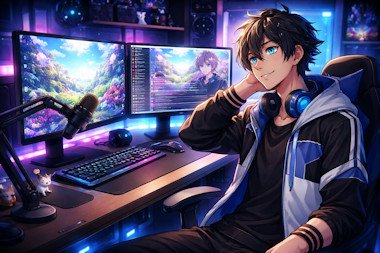
A VTuber studio is similar to a livestreaming studio, but it includes additional hardware and software for avatar tracking and animation. The goal is to capture your face, voice, and sometimes body motion and translate that into a virtual character that appears on stream. Below is a breakdown of the core elements in a typical VTuber setup.
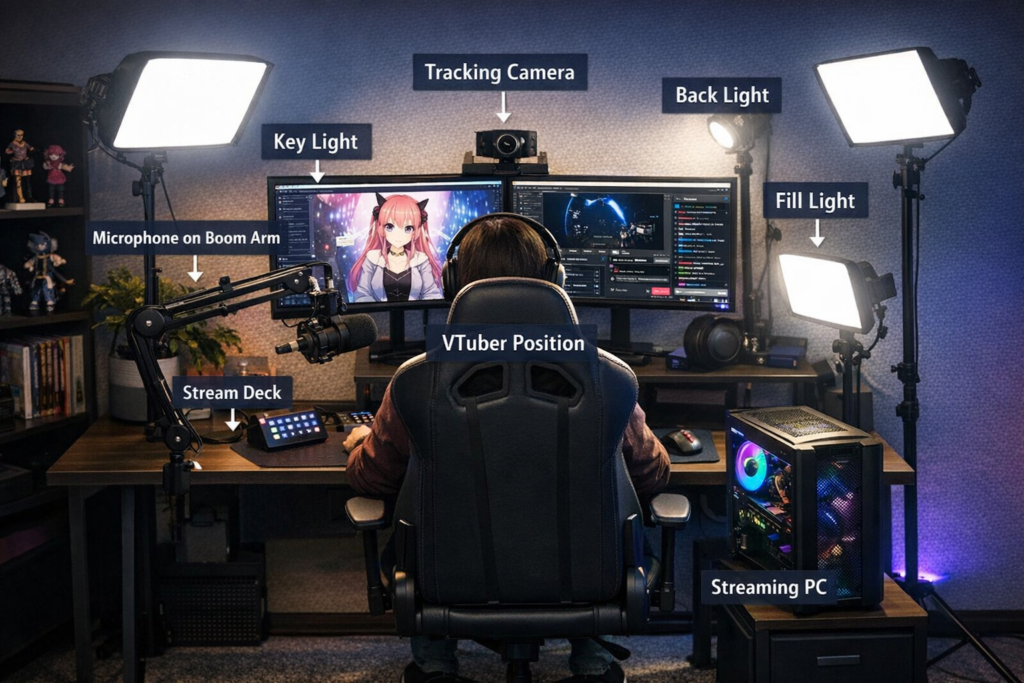
1. Tracking Camera
A webcam or tracking camera sits above or between your monitors and points directly at your face.
Purpose
- Tracks facial expressions
- Detects head movement
- Drives the VTuber avatar in real time
Common choices
- Logitech webcams
- iPhone with face-tracking apps
- Depth cameras for advanced tracking
Position: Centered and slightly above the monitor.
2. Dual Monitors
Most VTubers use two monitors.
Main Monitor
- Streaming software
- VTuber avatar software
- Game or content
Secondary Monitor
- Chat
- Stream controls
- Alerts
- Notes or scripts
This helps avoid constantly switching windows while live.
3. Microphone on Boom Arm
Audio quality matters even more than visuals.
Typical setup
- Condenser or dynamic microphone
- Mounted on a boom arm
- Positioned slightly off-axis from the mouth
Benefits:
- Cleaner audio
- Less keyboard noise
- More desk space
4. Three-Point Lighting
Lighting improves face tracking accuracy.
Key Light
- Main light
- Positioned 45° from your face
Fill Light
- Opposite side
- Reduces shadows
Back (Hair) Light
- Behind the subject
- Separates you from the background
Good lighting makes tracking more stable and expressive.
5. Streaming PC
The computer runs several things simultaneously:
Typical VTuber software stack:
- VTuber avatar software (Live2D / 3D)
- Streaming software
- Game or content
- Chat tools
Examples of streaming software:
- OBS Studio
- Streamlabs Desktop
Popular VTuber avatar apps:
- VTube Studio
- Luppet
- FaceRig
6. VTuber Position
The creator typically sits:
- Centered at the desk
- Facing the camera
- With monitors slightly angled inward
This position allows natural head movement and comfortable streaming.
7. Optional Equipment
Advanced VTubers often add:
Stream Deck
- Scene switching
- Sound effects
- Avatar toggles
Second Camera
- B-roll shots
- Hand tracking
- Desk demonstrations
Green screen
For hybrid real + avatar content